EQ
Shapes the vocal tone as the macro control moves through the processing range.
Audio software
A streamlined vocal-processing plugin that controls EQ, compression, saturation, chorus, and reverb through a single macro control.
Overview
The One-Knob Vocal Chain was developed as a five-person audio software project using C++ and the JUCE framework.
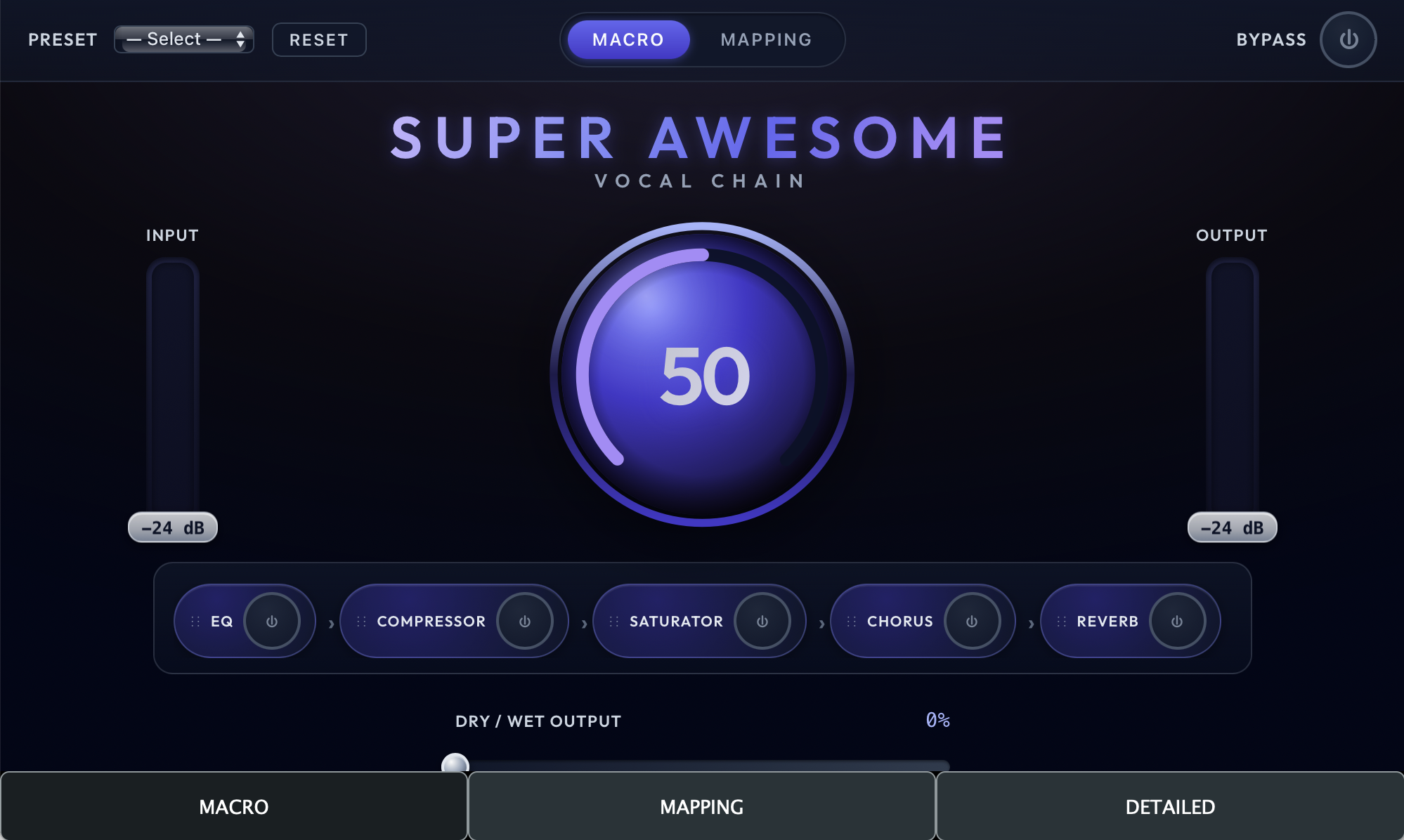
The plugin combines EQ, compression, saturation, chorus, and reverb behind a single macro control, allowing users to move quickly toward a finished vocal sound without having to worry about adjusting several separate processors.
The problem
Beginners may understand the result they want but feel overwhelmed by the number of processors, parameters, and routing decisions involved in building a vocal chain.
Experienced producers face a different problem: they may already know the sound they need, but setting up and fine-tuning a full chain can interrupt a fast creative workflow.
The solution
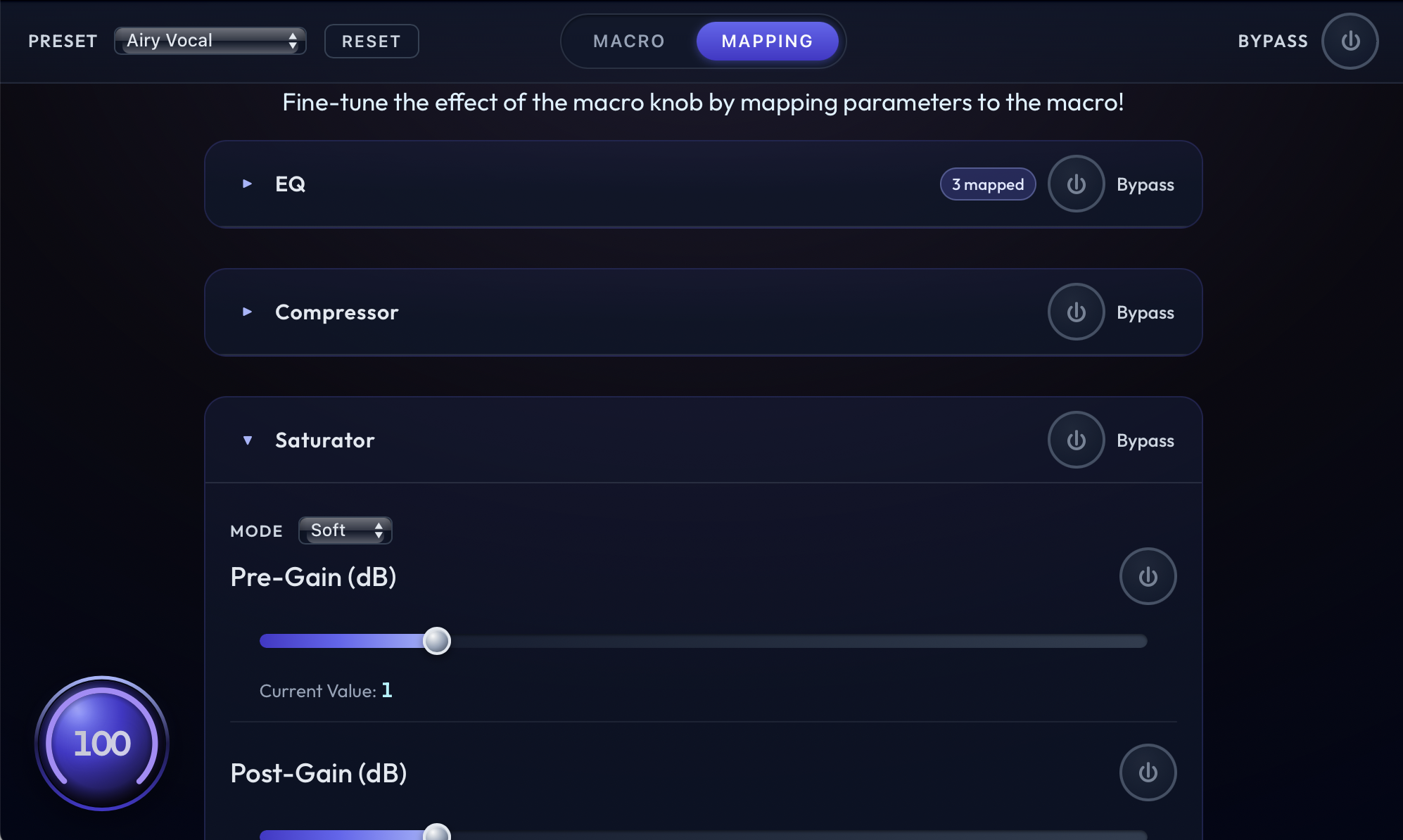
The plugin reduces a multi-effect vocal chain to one expressive macro control while preserving the character of several coordinated processors.
Shapes the vocal tone as the macro control moves through the processing range.
Controls dynamics and helps the vocal remain consistent in the mix.
Adds harmonic character and density to the processed signal.
Introduces width and movement as part of the overall vocal treatment.
Adds depth and space without requiring the user to manage a separate effect interface.
My role
My primary responsibilities were integrating the project within the JUCE framework, designing and prototyping the graphical user interface, and creating the documentation needed to explain the plugin and support the team’s development process.
This required connecting the interface to the underlying plugin structure, keeping the controls clear and approachable, and documenting the project in a way that made the design and workflow understandable to both developers and users.
Interface
Add screenshots of the plugin interface here when they are ready.
Audio software
Get in touch about audio development, plugin design, creative coding, or technical collaboration.